CPU
63% Pulsebar
A calm monitor for macOS
Agents and your Mac.
One quiet glance.
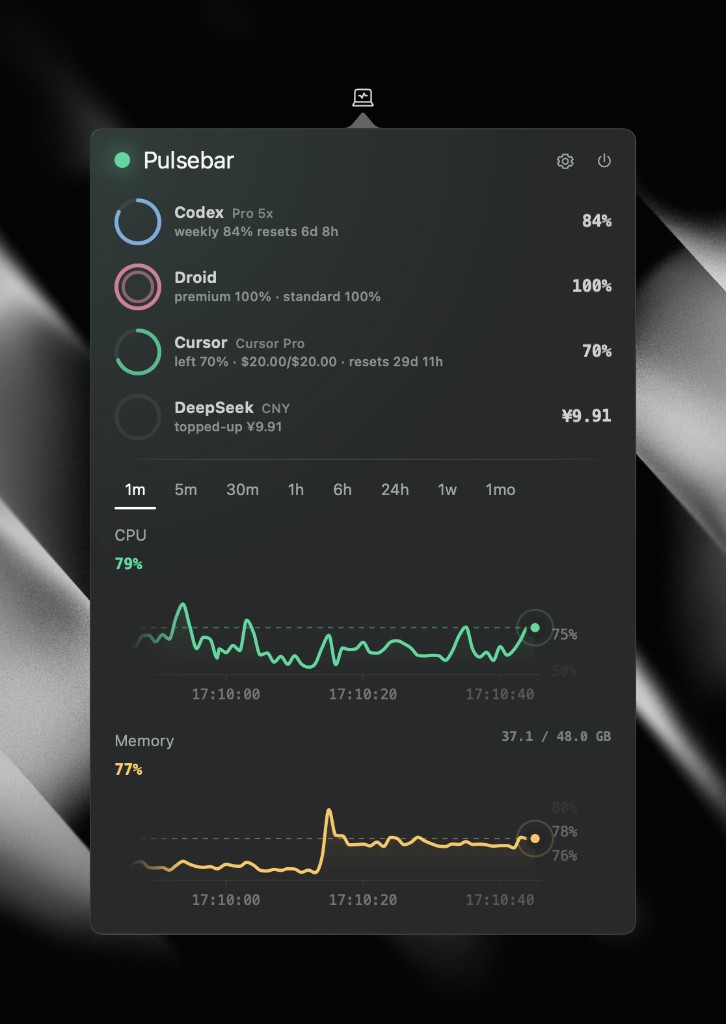
Track AI agent quotas next to CPU, memory, disk, and network—
one click from the menu bar.
Download for macOS
macOS 12+ • Apple silicon
Live at a glance
Quotas and signals. Together.
Designed for attention, not obsession
Quotas and history,
without dashboard overload.
Agent usage at a glance
See remaining Codex, Cursor, and other agent quotas without opening another window.
Right detail for every range
Zoom from one minute to one month. Pulsebar adapts so you always see useful history.
Local by default
System history stays on your Mac.
Agent quotas stay with you,
not a marketing dashboard.
Know what your agents—and Mac—are doing.
Quiet when you do not need it. Clear when you do.
Download PulsebarPulsebar Support
Questions or need help?
For setup help, bug reports, or feature questions, email the Pulsebar support team. Please include your macOS version and a brief description of the issue.
pulsebar@lumik.space